EA F1 Semi-Auto Playbook
This beginner guide covers Green START and Red START only. Use the orange frame to identify the main XAUUSD trend; do not trade against it.
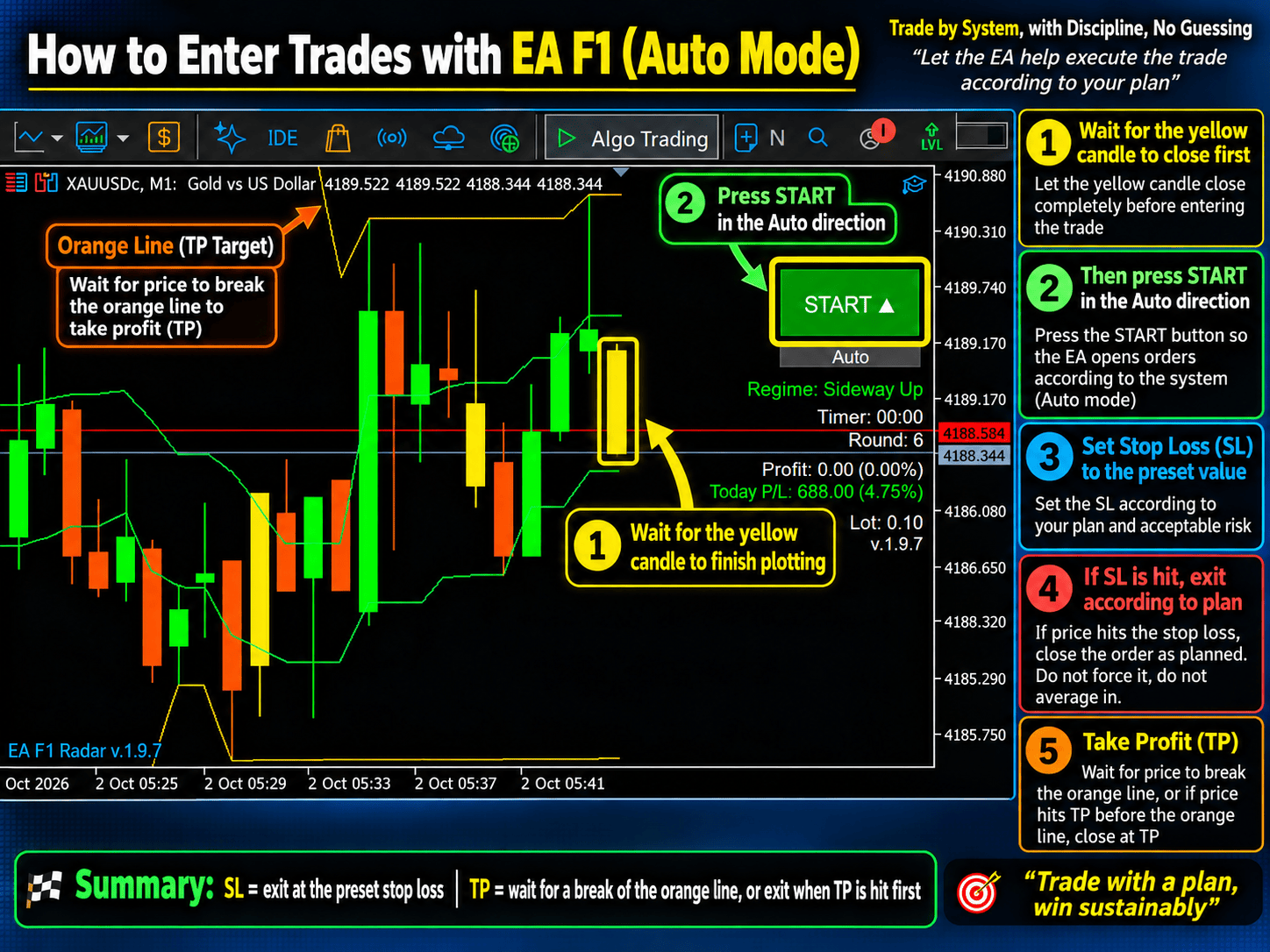
1. Identify the trend
Zoom out. Rising orange frames mean an uptrend, falling frames mean a downtrend, and flat or alternating frames mean sideways conditions.
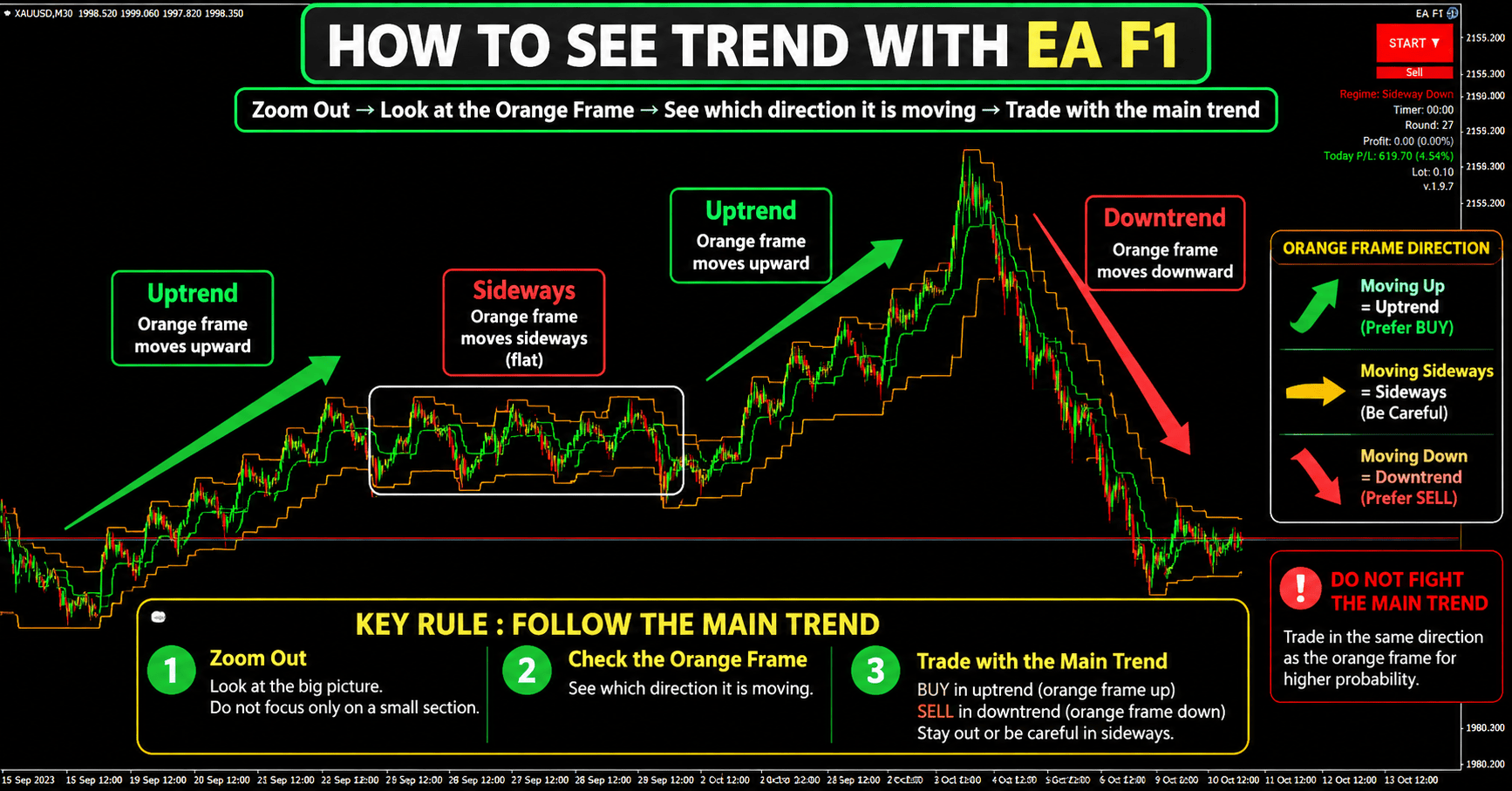
2. Never counter-trend
A short-term green-frame move does not automatically reverse the main trend. Wait for a valid pullback.

3. Green START
- Confirm the orange frame is rising.
- Wait for a pullback to the correct second green line.
- Press Green START only after the setup is complete.
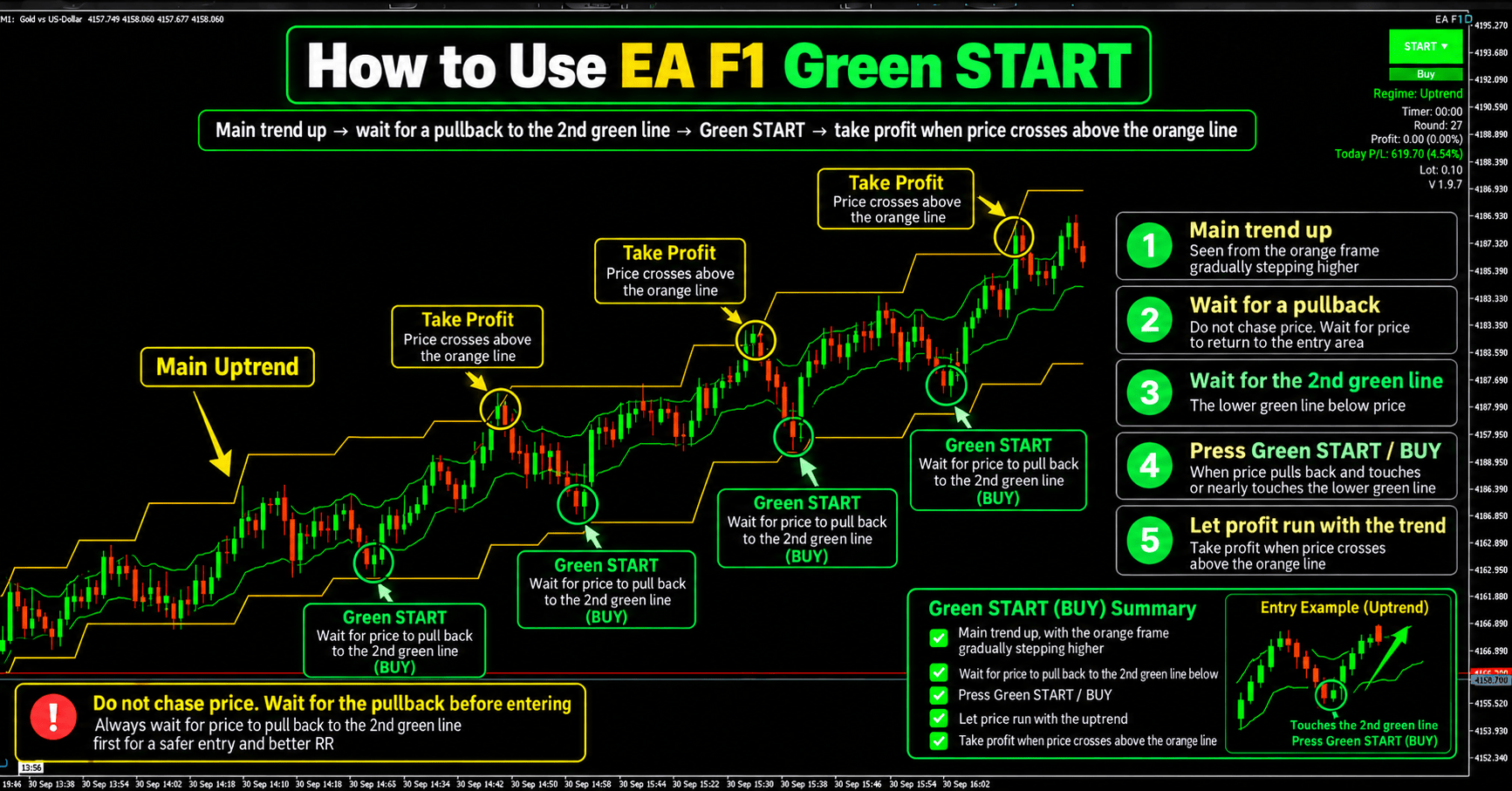
4. Red START
- Confirm the orange frame is falling.
- Wait for a bounce to the correct second green line.
- Press Red START only after the setup is complete.

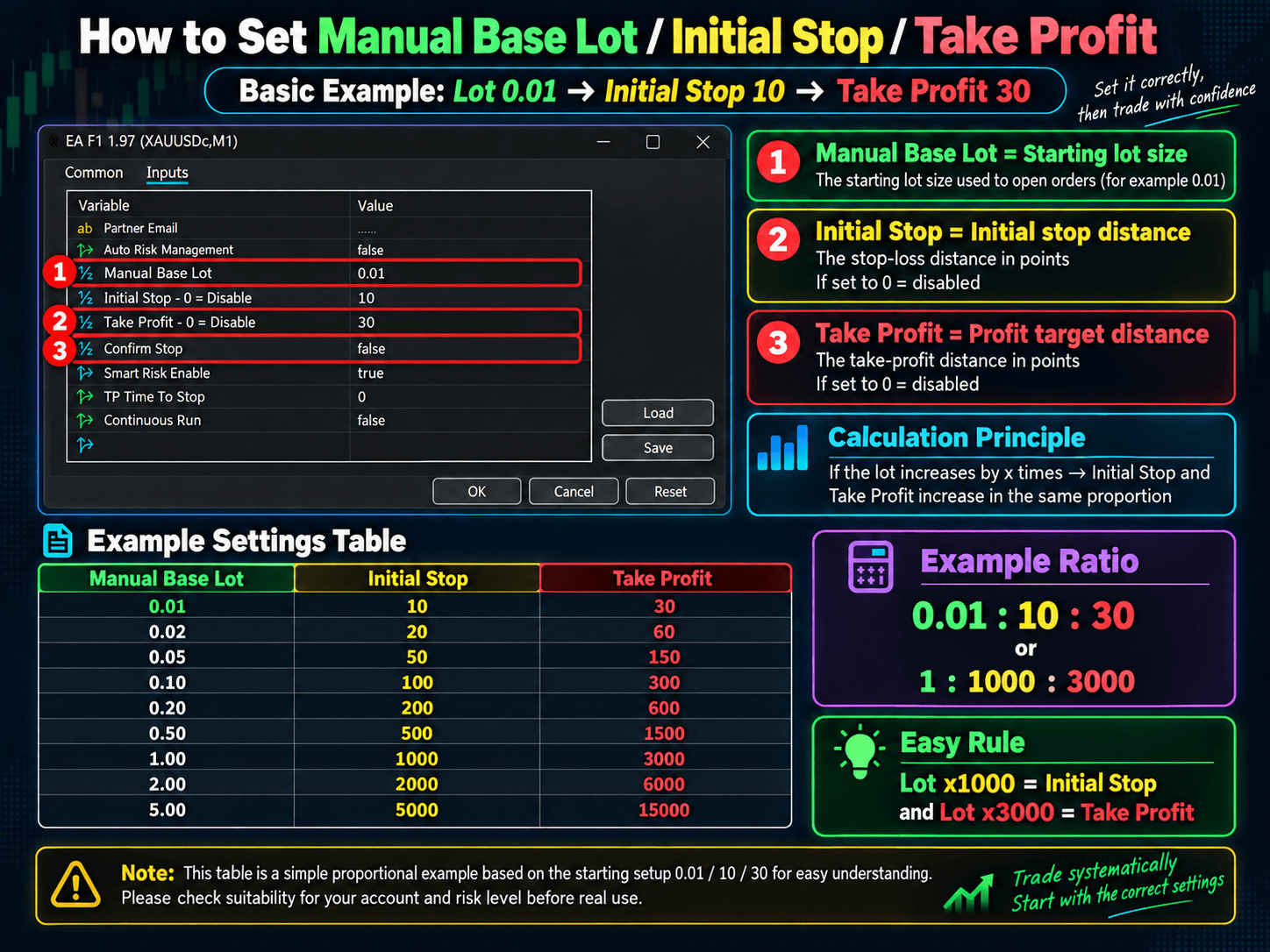
5. Settings and risk
Example: Manual Base Lot 0.01, Initial Stop 10, Take Profit 30. Do not change tested settings because of one trade or emotion.
- Consider limiting risk to about 1% of equity per trade.
- Avoid major news, rate decisions and NFP.
- Stop for the day near a 3–5% daily loss limit.
- Accept the planned loss before pressing START.

No-Trend-Trade Zone
After an Impulse (a strong directional move), price may enter a Sideways phase that is better suited to the Blue button. Avoid trend trades during this period and wait for a clear market structure before trading again.

View the EA F1 Semi-Auto forward-test record on Myfxbook
Risk warning: CFD, Forex and Gold trading involves risk and losses are possible. This educational material is not financial advice or a profit guarantee. Past performance and forward tests do not guarantee future results.